


一个简洁、有趣的无限下拉方案
长列表和无限下拉是前端老生常谈。本文介绍一种简洁、巧妙、高效的做法:只渲染可视区域附近的 DOM,滚动时主要改外层容器的 padding。两个要素是 Intersection Observer 和 padding。
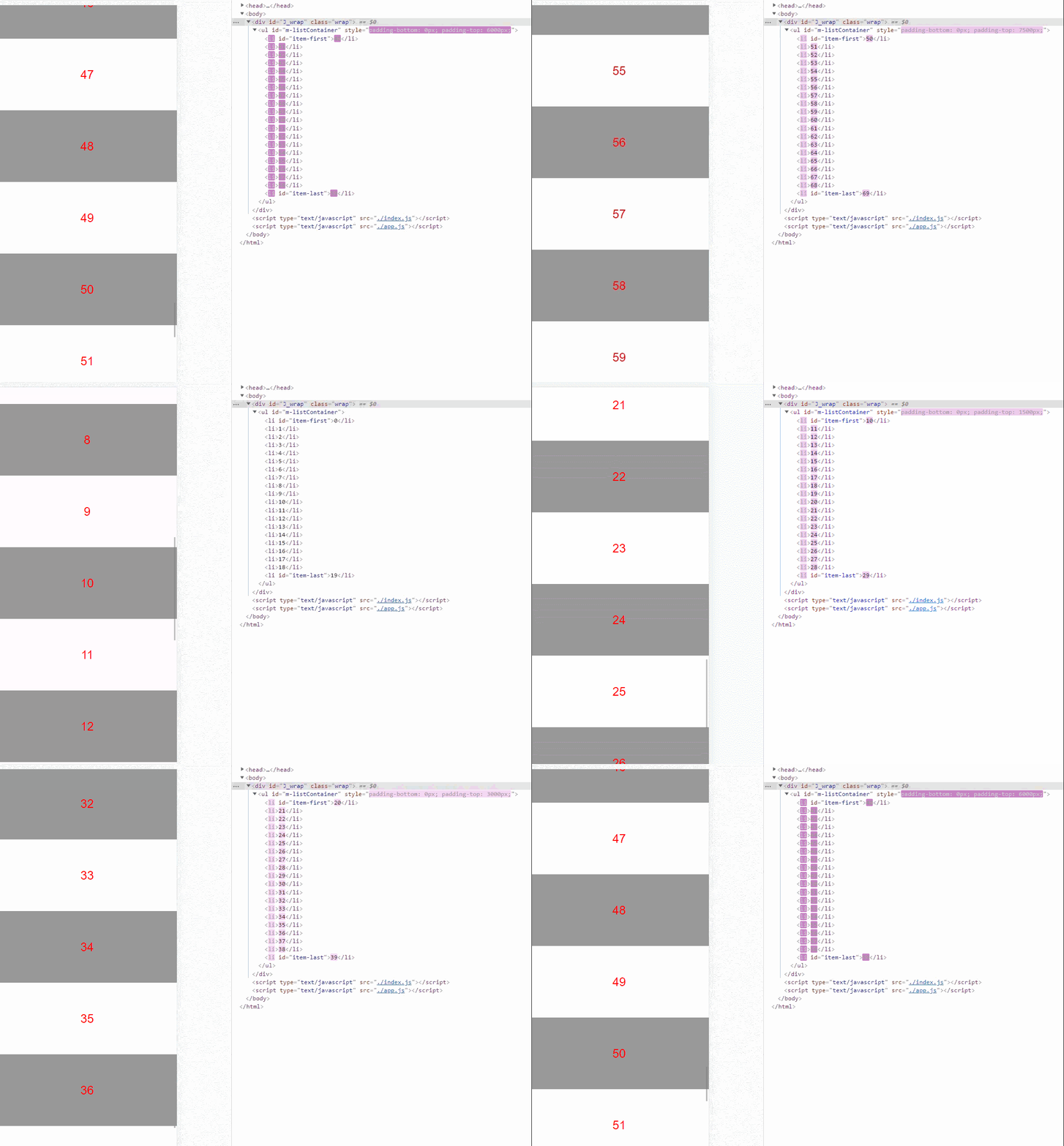
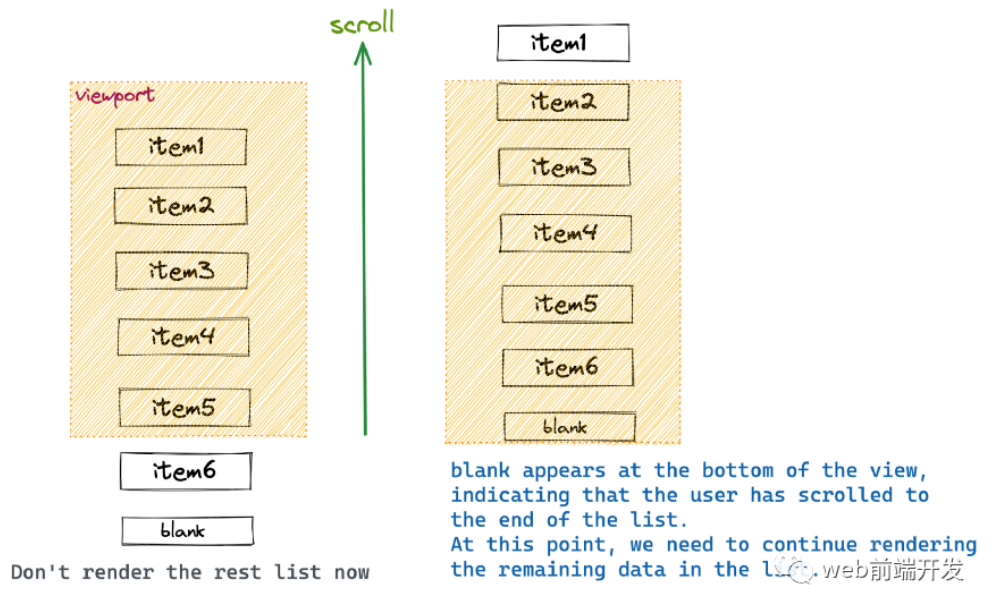
从图里能看出两点:只渲染可视区域的部分 DOM;滚动过程中外层 padding 在变。前者好理解——不可能把无限列表全部渲染;后者是本方案核心。
| 步骤 | 做什么 |
|---|---|
| 观察首尾 | IntersectionObserver 盯固定长度列表的第一个和最后一个元素 |
| 更新 firstIndex | 按滚动方向加减 listSize/2 |
| 换数据 | 只渲染窗口内那一段 |
| 改 padding | 用 padding 填本该越来越多的 DOM 高度 |
一、Intersection Observer
基本概念
检测元素是否可见、或相对另一元素是否可见,传统做法又复杂又贵:听 scroll、查 DOM、算高度位置。Intersection Observer 提供异步查询元素相对其他元素或视窗的位置,去掉昂贵的 DOM 查询和样式读取。
兼容性
主要是 Safari 较差,要 12.2 及以上。不过有 polyfill 可用。
应用场景
-
滚动懒加载。 -
无限下拉(本文)。 -
监测广告曝光做统计。 -
滚到目标位置再做交互(如视频滚出视窗就暂停)。
二、padding 方案怎么跑
总体思路:
-
监听固定长度列表的首尾是否进入视窗; -
更新当前渲染的第一个元素序号 firstIndex; -
按序号取数据,列表重绘成对应内容; -
调整容器 padding,模拟滚动。
核心:用父元素 padding 去填充无限下拉本该越来越多的 DOM,视窗上下只保留一定数量节点来渲染数据。
1. 观察首尾元素
以固定渲染 20 个为例,首尾任一重新进入视窗就会进 callback:
2. 更新 firstIndex
数组会随请求变长,页面始终只渲染其中一段(比如 20 个):
-
开始渲染 0–19,firstIndex 为 0; -
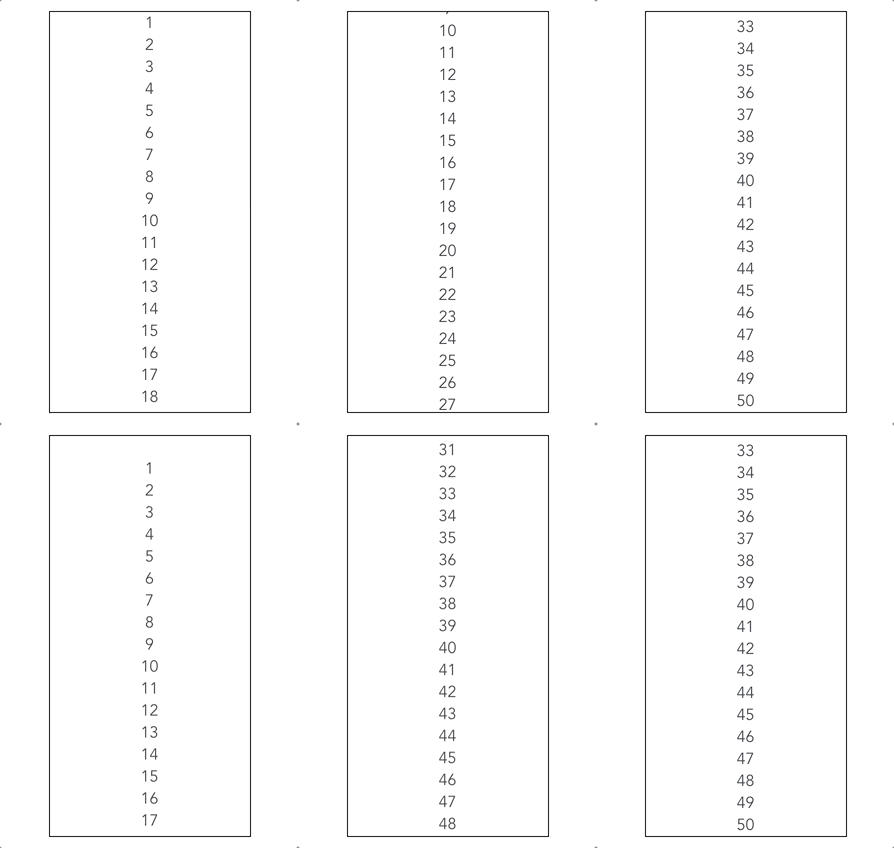
序号 19(lastItem)进入视窗,往后渲染 10 个,变成 10–29,firstIndex 为 10; -
序号 29 进入视窗,再往后 10 个,变成 20–39,firstIndex 为 20,以此类推。
更新 firstIndex,是为了根据滚动知道接下来该取、该渲染哪些数据。
3. 按序号取数并重绘
按 firstIndex 查数据,渲染到页面即可。
4. 用 padding 模拟滚动
最粗暴是每多 10 条数据就再塞 10 个 DOM。本方案是:这 10 条新数据用原有 DOM 去渲染,替换已离开视窗的数据;本该撑开高度的部分用 padding 填充。
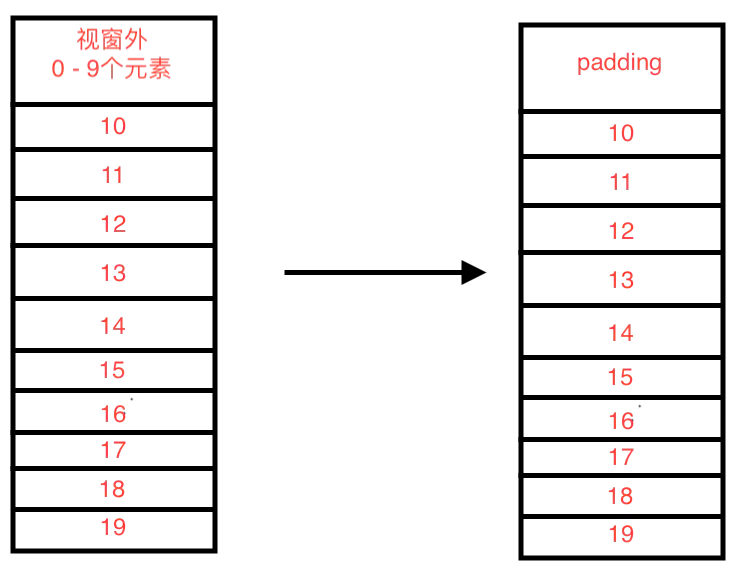
向下滚动:
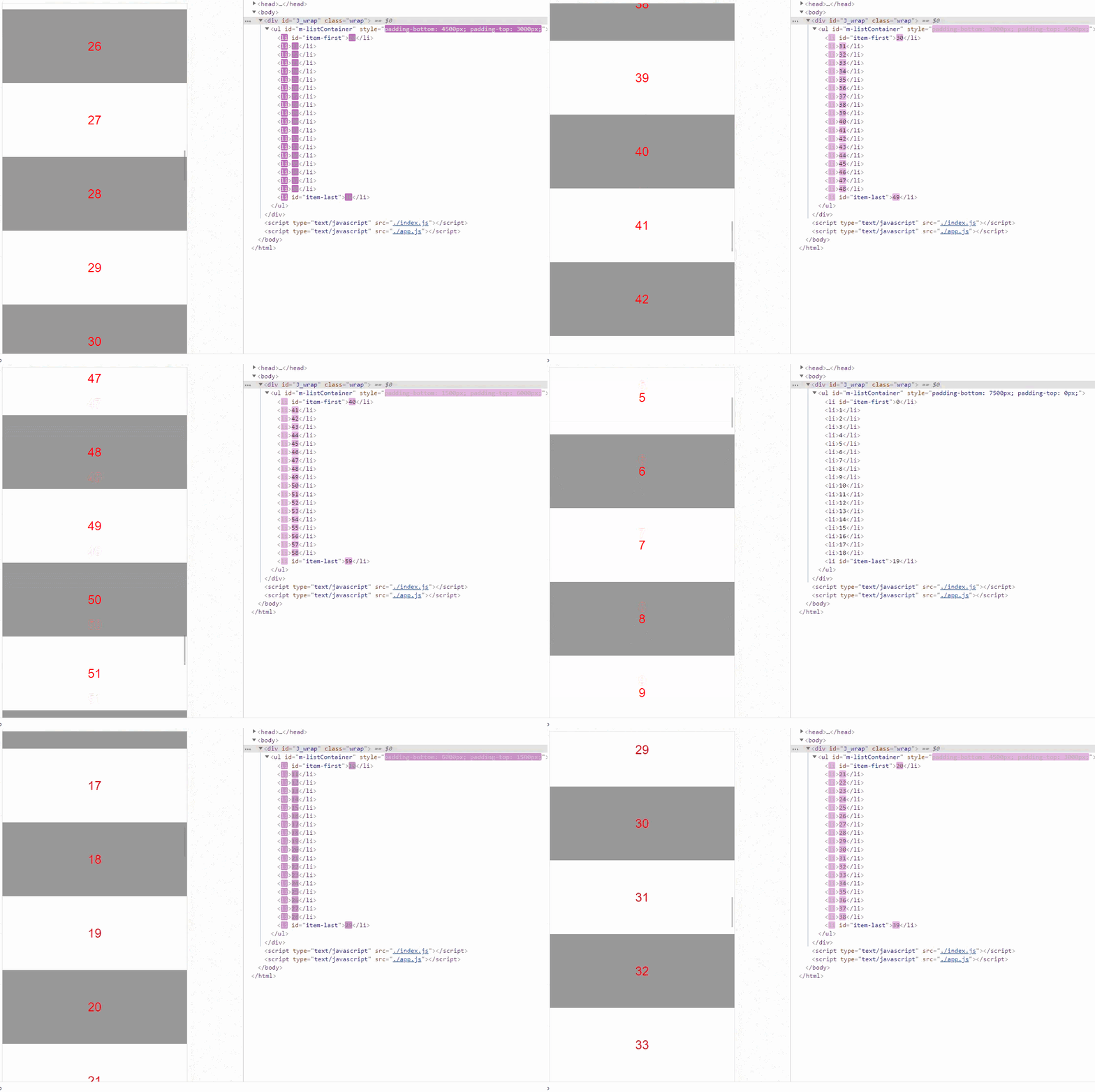
向上滚动:
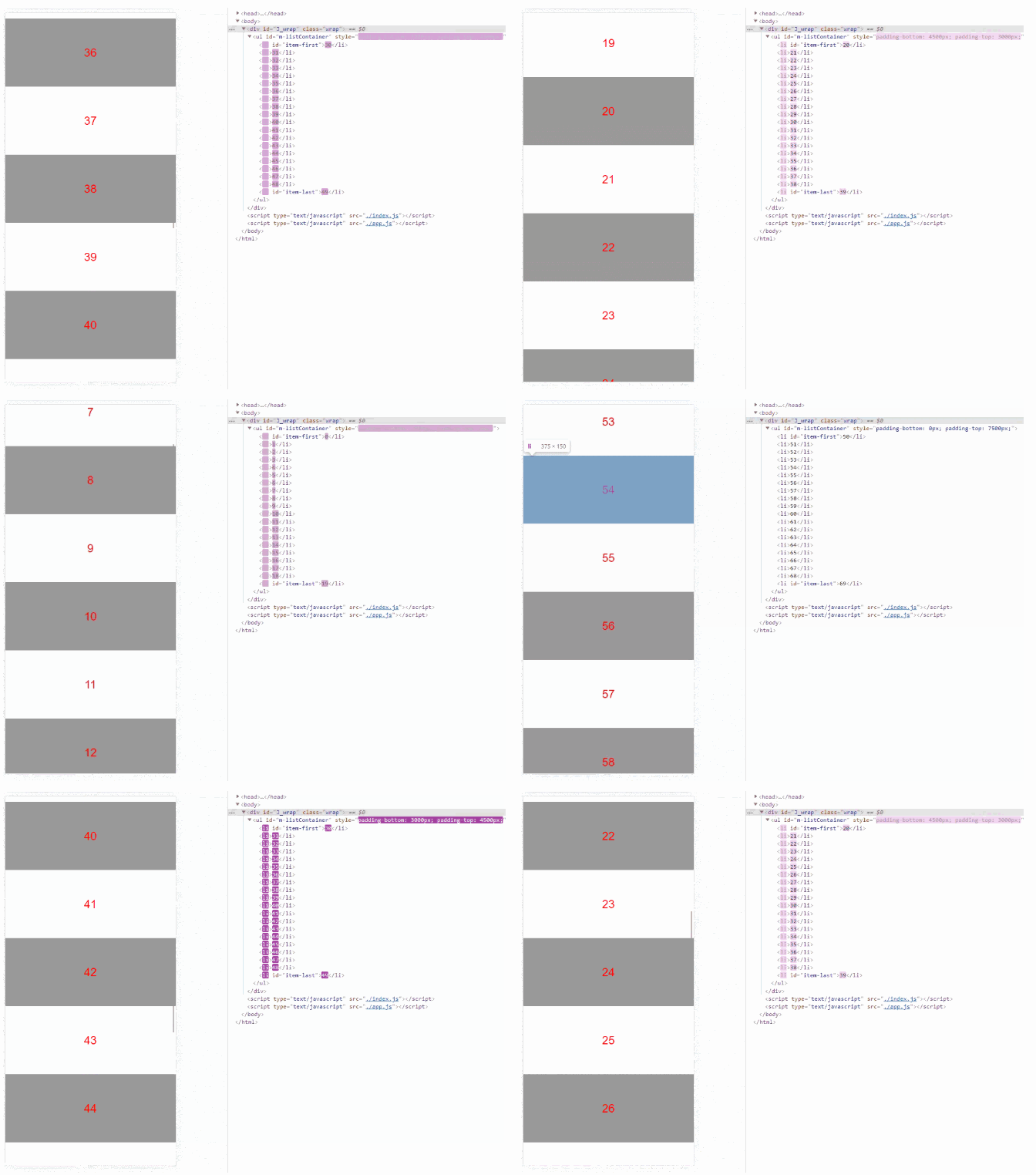
最后更新 padding 和缓存:
三、和 iScroll 等比一比
Intersection Observer 异步监听滚动位置,尽量少碰 DOM;回调里换数据,用 padding 代替越来越多的节点。
iScroll infinite 的概要:
-
听传统滚动事件,拿滚动距离; -
设父元素 translate 让内容整体上移或下移; -
再算哪些子元素已出视窗,要不要把它们移到末尾(再设子元素 translate)。像循环队列:顶部先出视窗,再接到末尾。
实现: 一边是观察首尾、定量改父级 padding;一边是滚动距离 + 一串计算去改父子 translate。前者更干净。
性能: padding 和 translate 差距很小。关键是 Intersection Observer 抽掉了滚动距离查询和复杂计算,同步 scroll 变成异步,也不必另做防抖。
缺陷
padding 计算依赖列表项固定高度。
-
思路 1:用 Skeleton Screen Loading 占位,数据回来再替换,不受异步获取影响。 -
思路 2:滚到目标先堵住 padding 更新,等请求完再用 loading gif。要全面考虑难以预测的滚动,相对复杂。
延伸
-
无限下拉有了,无限上拉怎么改? -
把 Intersection Observer 塞进 iScroll,原方案能怎么优化?
四、参考
一句话总结:无限下拉不必越滚 DOM 越多:观察窗口首尾,只渲染一段数据,用 padding 把滚走的高度补上。
转载请注明来源:一个简洁、有趣的无限下拉方案

周sir
我是周sir,这是我的博客。致力于分享我学会的技术和优秀的文章。微信公众号 “周sir专栏” 欢迎大家关注。
你可能也喜欢
前端文件流、切片下载和上传:优化文件传输效率与用户体验
如果后端API一次返回10万条数据,前端应该如何处理?
想写好前端,先练好内功
前端必备自定义滚动库——iScroll